Every BIM scope of work eventually lands on the same question: what LOD are we modelling to? It's one of the most misunderstood terms in the industry - clients hear "LOD 500" and assume it means "maximum detail," while modelers use it to mean something much more specific. Here's what each level actually represents, and how to pick the right one for your project stage.
What Is LOD, and Why Does It Matter?
LOD stands for Level of Development (often confused with "Level of Detail," which is only half the story). Level of Development describes two things at once: how geometrically precise an element is, and how much reliable information is attached to it - its material, performance data, manufacturer, dimensions, and so on. A wall modeled at LOD 100 might be an undefined bounding box; the same wall at LOD 400 is a specific product with a specific U-value, ready for fabrication.
Specifying the wrong LOD is expensive in both directions. Ask for LOD 400 during early concept design and you pay for precision that will be redesigned anyway. Ask for LOD 300 when you need shop drawings and you'll be back at the model stage mid-construction. Getting the LOD right at each project phase is what keeps a BIM scope - and its cost - under control.
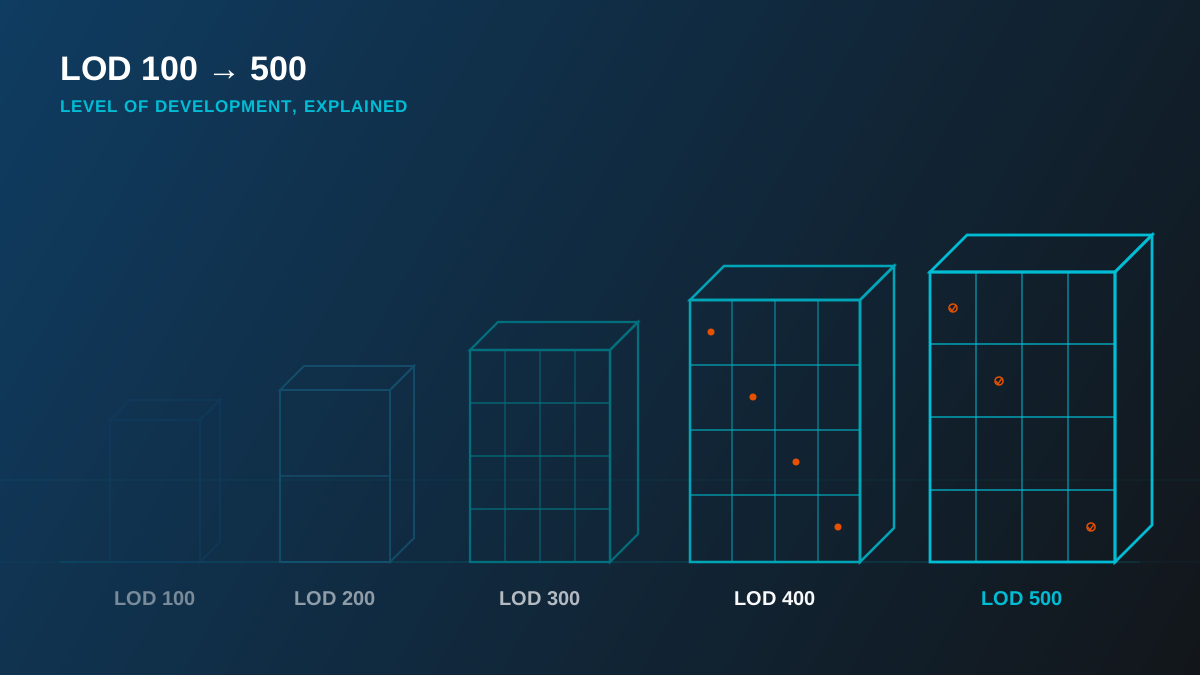
Quick reference: LOD generally rises alongside project stage - 100 at feasibility, 200–300 through design development, 350–400 into construction documentation and fabrication, and 500 once the building is verified as-built. Not every element on a project needs to be modeled to the same LOD.
LOD 100 — Conceptual
At LOD 100, elements exist as generic massing - a volume, an orientation, an approximate footprint. There's no specific geometry or product data yet, just enough to test a concept: does the massing fit the site, does it meet the programme, roughly what's the floor area. This is feasibility-study territory, used to pressure-test an idea before real design time is spent on it.
LOD 200 — Schematic
LOD 200 introduces approximate quantities, sizes, shapes and location - still generic, but recognizably a wall, a column, a duct run rather than a placeholder box. This is the schematic design stage: systems are being laid out and sized in relation to each other, but nothing is specified down to a particular product or manufacturer yet.
LOD 300 — Detailed Design
This is where most construction documentation lives. At LOD 300, elements are modeled with specific size, shape, location, and orientation - accurate enough that the model can be measured directly for quantities and used to generate coordinated drawing sets. It's the most commonly requested LOD across architectural, structural and MEP scopes because it's precise enough to build from without the added cost of fabrication-level detail.
LOD 350 — Coordination
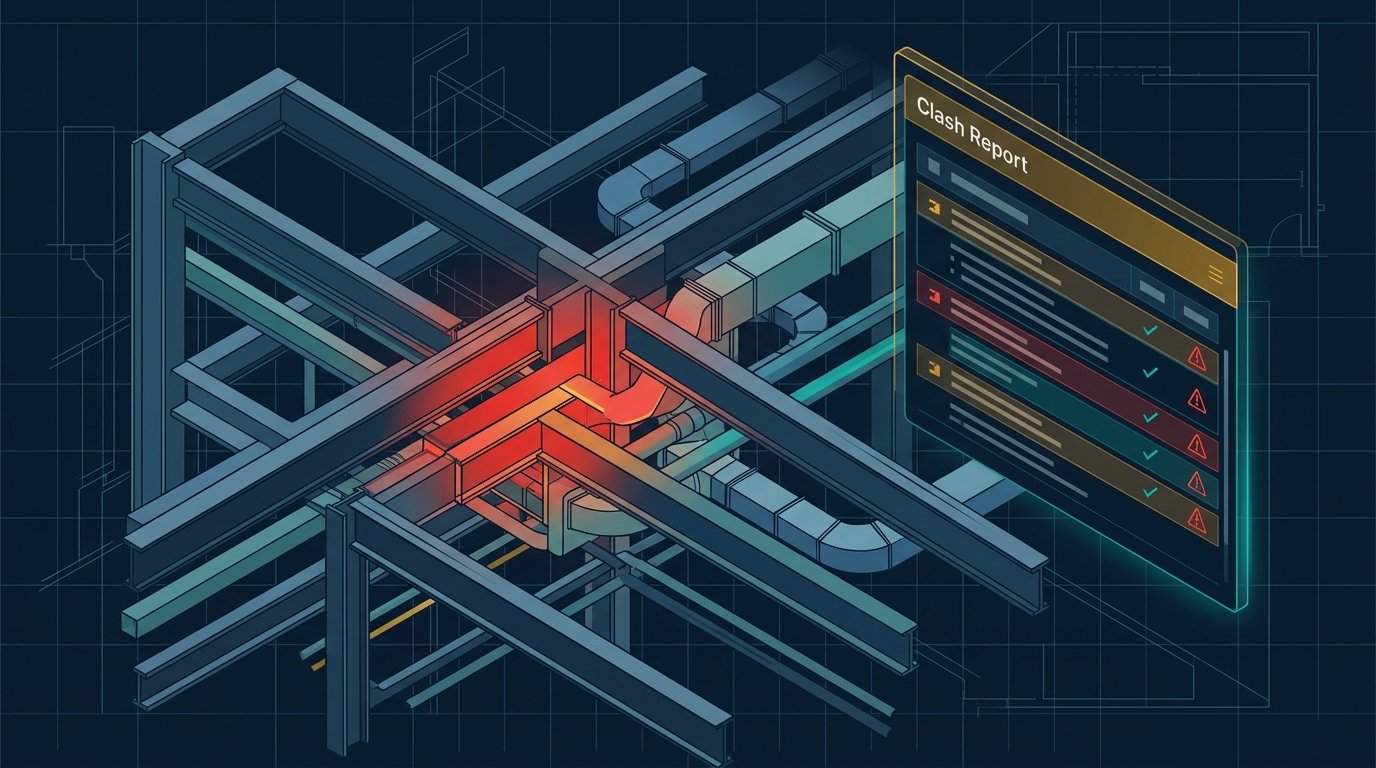
LOD 350 adds the interfaces between systems: connections, supports, and clearances between disciplines. This is the level your model needs to be at for meaningful clash detection - hangers, brackets, and penetrations only surface as a coordination problem once they're actually represented in the model.
LOD 400 — Fabrication
At LOD 400, elements are modeled with the size, shape, quantity, location and orientation needed to fabricate and install the actual component - bolt patterns, weld details, rebar cages, duct gauges. This is the LOD behind shop drawings and site-ready fabrication packages, and it's usually reserved for the trades and elements where that precision earns its cost: structural steel connections, precast panels, complex MEP risers.
LOD 500 — As-Built
LOD 500 is field-verified: the model matches what was actually built, not what was designed. It's the deliverable behind facility management handover, and it's frequently produced by reconciling the design model against a laser scan of the completed building rather than by modeling from scratch.
Choosing the Right LOD for Your Project
In practice, a single project rarely sits at one uniform LOD. A hospital project might carry architecture at LOD 300 for planning approval, MEP at LOD 400 for fabrication-ready ductwork, and only the final as-built handover model at LOD 500. The right approach is to set LOD per discipline and per project phase in the BIM Execution Plan up front, rather than defaulting to "as detailed as possible" - which is where budgets and timelines quietly get away from a project.
| LOD | Stage | What It Answers |
|---|---|---|
| 100 | Feasibility | Does the massing fit the site and programme? |
| 200 | Schematic design | Are systems sized and roughly located? |
| 300 | Detailed design | Can this be measured, drawn and coordinated? |
| 350 | Coordination | Do disciplines clash at their interfaces? |
| 400 | Fabrication | Can this be built and installed directly from the model? |
| 500 | As-built / FM | Does the model match what's actually on site? |
We deliver every LOD level from 100 through 500 across all of our BIM services, and help clients set the right LOD per discipline before modelling starts - not after the first coordination clash shows the scope was wrong.